Walk and meet
Keyboard movement with collisions, a following camera and smooth remote avatars through prediction and interpolation.
Open source · Self-hosted · Alpha
Tilework is an open source alternative to Gather for remote teams: walk around a 2D map, bump into teammates and talk with proximity audio and video. Built with Go, PixiJS and LiveKit, and designed from day one to be cheap to host yourself.
No sign-up beyond a name. The demo is a free, small server; its map, chat and whiteboards reset every 6 hours. Self-host it with one Docker Compose file or ghcr.io/guhcostan/tilework.
Design targets to validate, not measured results. Local measurements so far are in Benchmark results; capacity on a real server is on the roadmap.
A complete loop from avatar to conversation, with the expensive parts handled by the right tool.
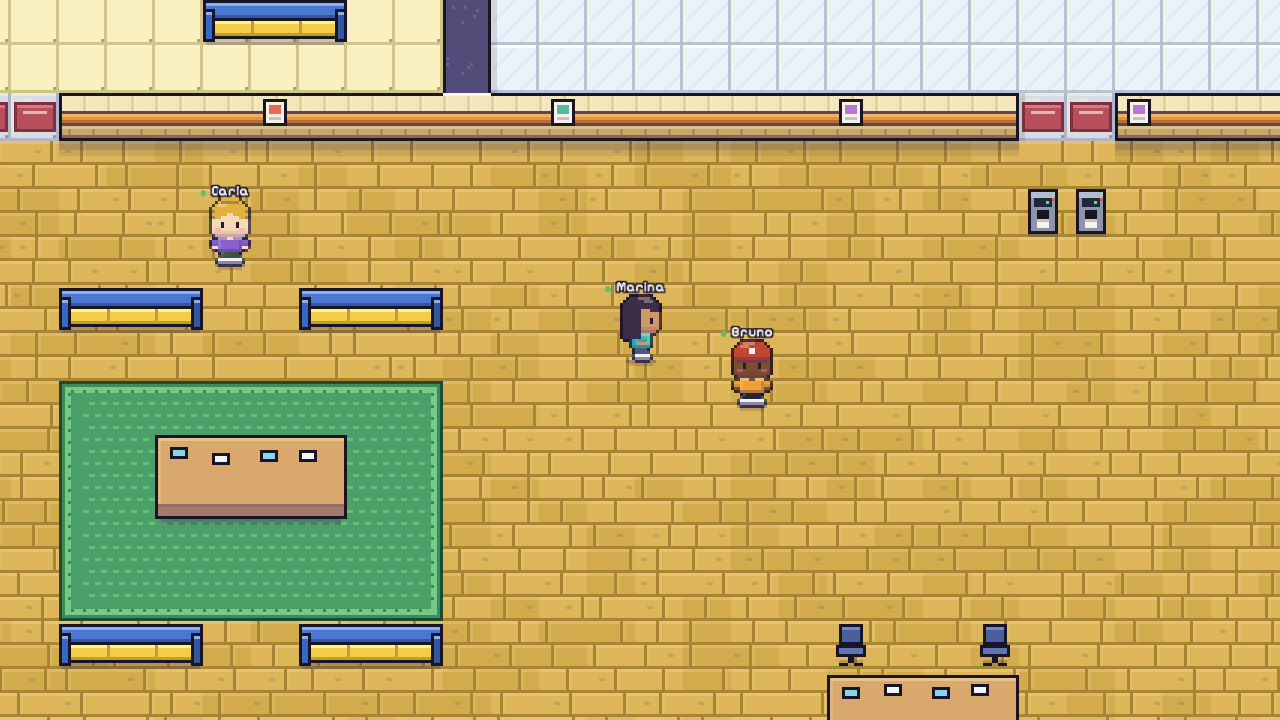
Keyboard movement with collisions, a following camera and smooth remote avatars through prediction and interpolation.
Run with Shift or toggle it with R. Double-click any spot, or a point on the minimap, to run there along a path the server finds. "Walk to" anyone from the people panel.
Pick a cat, dog, bunny, fox, chick, slime, owl or axolotl that trots after you. Drawn in code and animated on each screen: zero bandwidth.
Wave at anyone in the office (they can run straight to you), raise your hand, set a status note, dance. Busy means do not disturb.
Audio and video start when you get close and stop when you leave, with hysteresis so nothing flaps at the edge.
Nothing is captured before you opt in. Busy, away and invisible people are never pulled into a call.
Areas with explicit access: open, members only, admins only or an allow list, enforced on the server. Lock a room; outsiders knock.
Up to 1080p for readable text, with cheap low layers for small tiles. Expand it over the map, go full screen or picture-in-picture.
Step on the stage to broadcast to the whole office. Administrators can send a banner to everyone online.
Collaborative boards that persist, notes, embedded sites and images, portals across the office, and an editor to build your own map.
Office, conversation and direct messages. A minimap with live head counts per area shows where people are.
An on-screen movement pad on touch screens, and optional sounds and desktop notifications for waves, knocks and messages.
One Go binary, SQLite in WAL mode and a self-hosted LiveKit. No paid service is required to run the whole product.
Three concerns, kept apart: the world, the data and the media.
One goroutine owns each office. A spatial grid and areas of interest mean a player is only compared with people nearby. Updates are batched, incremental and coalesced for slow clients.
The static map is one texture. Only what the camera sees is drawn, hidden tabs stop rendering but keep calls alive, and an economy mode caps the frame rate.
A real SFU, never a P2P mesh. Rooms are small, tokens are scoped to one room, and access is revoked on the server when you leave.
Proximity chat is easy to get wrong. The rules are explicit and tested.
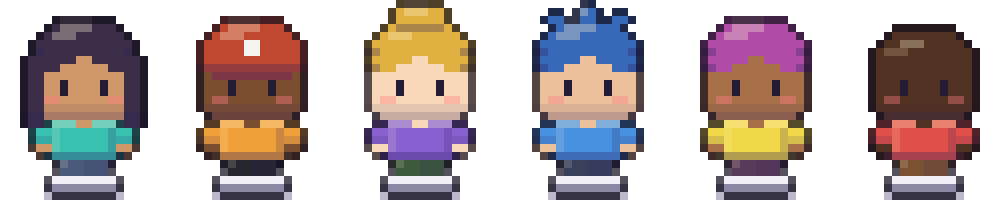
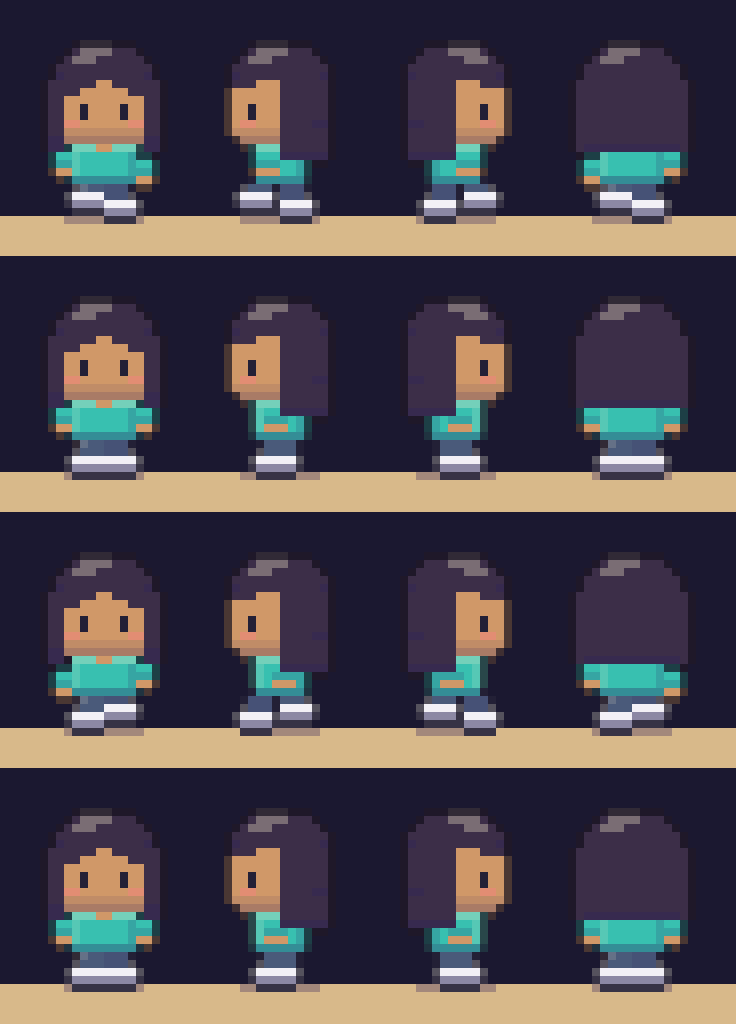
Procedural avatars drawn by the game itself: skin, hairstyle, hair colour, shirt and trousers.
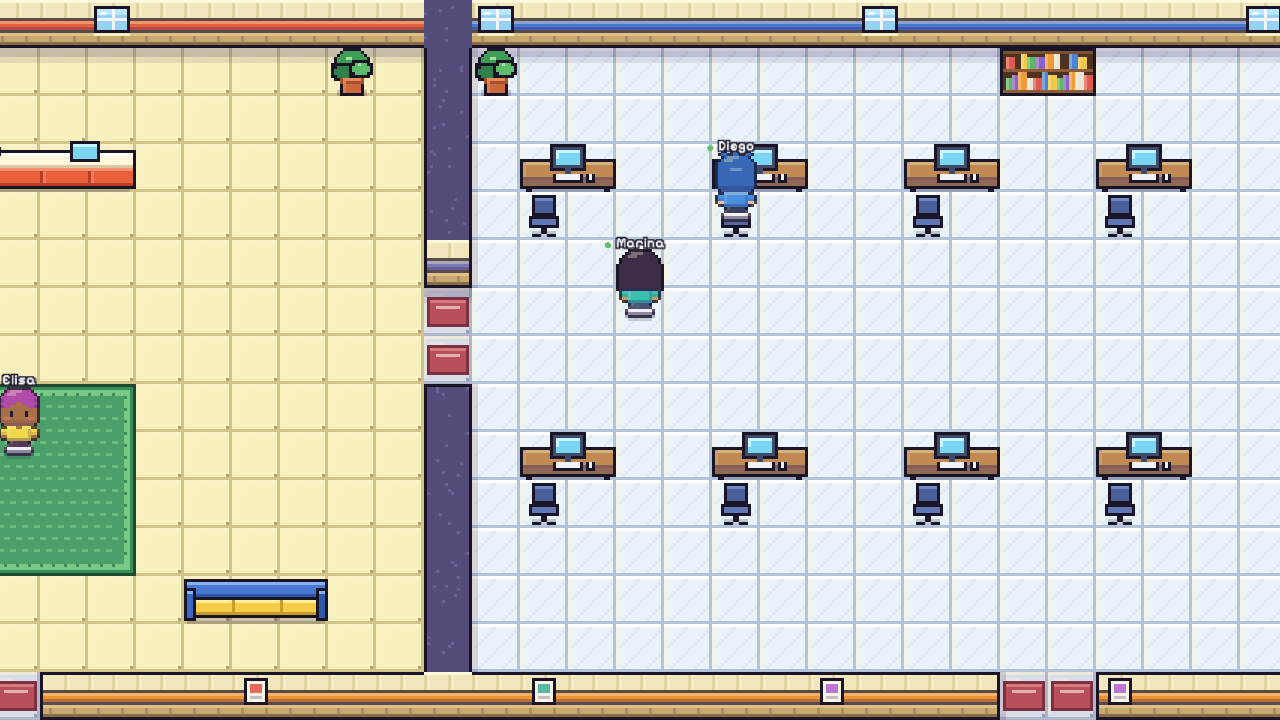
Chunky characters, outlined furniture, textured floors and dialog-window menus: the feel of a 2000s handheld RPG, drawn from scratch in code.
Alpha software. Here is what has actually been checked, and what has not.
Try the whole stack on your machine with Docker. The first person to join becomes the administrator.
git clone https://github.com/guhcostan/tilework.git
cd tilework
docker compose -f deploy/docker-compose.local.yml up --build
# open http://localhost:8080 in two browser profiles
For a real server, the production Compose file adds automatic HTTPS (Caddy), a LiveKit media server and invite-only joins, using the prebuilt image for amd64 and arm64. To hack on the code, ./scripts/dev.sh starts LiveKit, the Go server and Vite.
An open source, self-hosted 2D virtual office. Your team walks pixel-art avatars around a shared map and audio and video start when people get close, like bumping into someone in a hallway. It also has meeting rooms with access rules, private offices, screen sharing, chat, whiteboards, invites and a map editor. See the overview.
It is an independent project inspired by the classic Gather (gather.town) experience: a 2D map with proximity video. It is not affiliated with or endorsed by Gather, and it uses none of its code, maps, sprites or branding. Sprites, tiles and the map are drawn by the project's own code, the code is AGPL-3.0, and every third-party dependency is listed in THIRD_PARTY_LICENSES.md. If you want a virtual office you can host and inspect yourself, that is exactly the use case.
Yes. The code is AGPL-3.0 and running it needs no paid service: one Go binary, SQLite and a self-hosted LiveKit media server. You only pay for the machine you run it on. The public demo runs on an Oracle Cloud Always Free VM with 1 GB of RAM.
Open the public demo, pick a name and an avatar, and walk toward someone. Anyone can join; the map, office chat and whiteboards reset every 6 hours. To try proximity video alone, open it in two browser profiles.
Use the Docker image ghcr.io/guhcostan/tilework (linux/amd64 and linux/arm64) with the production Docker Compose file, which adds Caddy for automatic HTTPS and LiveKit for media. You need two DNS names, a few open ports and an invite for the first administrator. The self-hosting guide walks through it, including a trick for trying it without owning a domain.
We do not claim a number yet. On the free Oracle micro VM that hosts the demo (1 GB of RAM), one run loaded over the internet from another machine kept 100 bots smooth, ran 200 with slower worst cases and saturated at 500 (all of them joined, nobody was kicked). For media, one 4-person video call and 20 people in audio-only groups were clean, while larger media runs lost packets, most likely because of the VM's capped CPU; the generator side was not measured. These are single runs on the smallest free machine, not capacity figures. Local benchmarks with the generator on the same laptop reached 1,000 bots without media and 40 people in calls. Details: Benchmark results and Status.
Open the demo in two browser profiles, walk your avatars together and watch the call start. If you like where this is going, a star helps other teams find it.